Overview
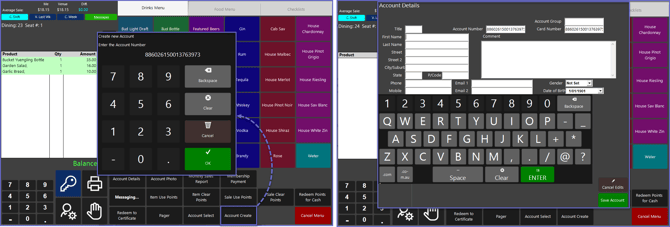
The "Account Create" Sub-Function allows Operators to create and edit a new Account within SmartPOS.
Pre-defined configurations for this Sub-Function can also provide the defaults for the Account including the Account Group and other Settings.
Prerequisites
- To access and use this Till Function within SmartPOS, the following Operator Privileges will need to be enabled:
- Operator Maintenance 'Till Privileges' Tab
- General: "Operate Tills" Flag
- Accounts & Discounts: " Account Till Functions" Flag
- Operator Maintenance 'Till Privileges' Tab
SmartPOS Example
- When the "Account Create" Sub-Function is selected, the Operator will first need to enter an Account Number
- The Operator can then edit the newly created Account and save once completed
- Depending on the Function-Specific Configurations, details such as the Account Group can be pre-set when the new Account is created