Overview
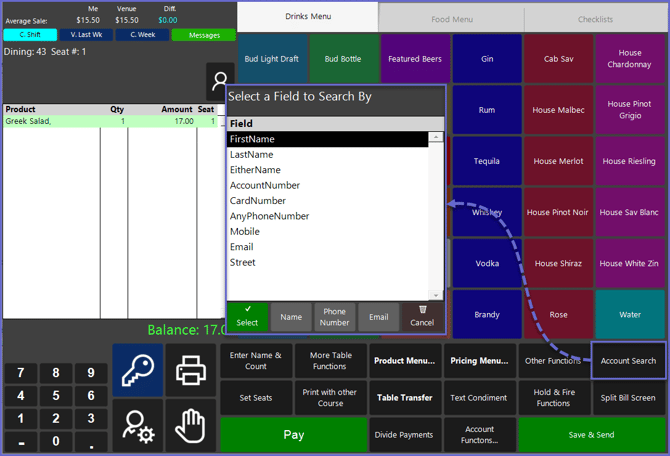
The "Account Search" Sub-Function can be used to search all Accounts within the System and then attach the Account to an active Transaction.
Prerequisites
- To access and use this Till Function within SmartPOS, the following Operator Privileges will need to be enabled
- Operator Maintenance 'Till Privileges' Tab
- General: "Operate Tills" Flag
- Tables: "Table Sales" Flag
- Accounts & Discounts: "Account Till Functions" Flag
- Operator Maintenance 'Till Privileges' Tab
SmartPOS Example
- Depending on the Function-Specific Configurations, after selecting the "Account Search" Sub-Function, the Operator will be able to search Accounts within the System
- Once an Account is located, it can be selected and then attached to the active Table