Overview
The "Account Select" Sub-Function is designed for searching and selecting an Account, and then attaching it to the Open Table.
Prerequisites
- To access and use this Till Function within SmartPOS, the following Operator Privileges will need to be enabled
- Operator Maintenance 'Till Privileges' Tab
- General: "Operate Tills" Flag
- Tables: "Table Sales" Flag
- Tables: "Create New Tables" Flag
- Accounts & Discounts: "Account Till Functions"
- Operator Maintenance 'Till Privileges' Tab
SmartPOS Example
- After selecting the "Account Select" Sub-Function, an Account can then be attached to the currently open Table
- Depending on the Function Specific Configurations, Accounts can be searched and selected through:
- Group Names
- Account Numbers
- Account Field Information
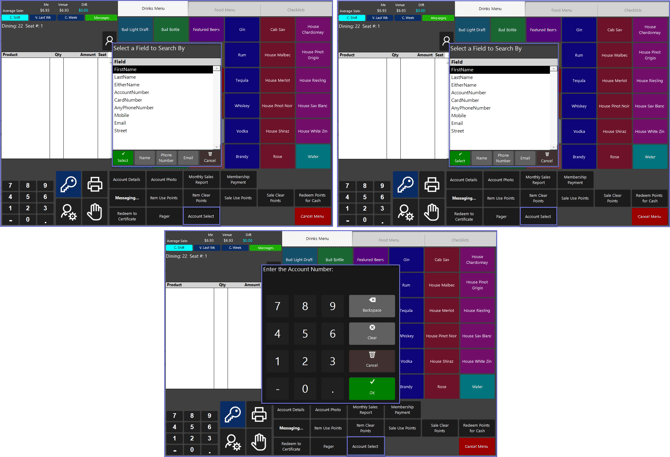
- Below is an example of a SubItem "4" configuration
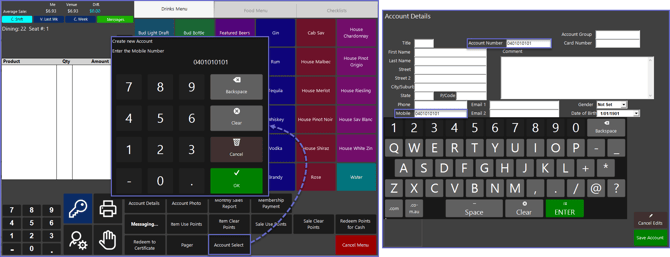
- After selecting the "Account Select" Sub-Function, the Operator will be Prompted to enter a Mobile Number for the newly created Account
- By default, the Key Field number will be pre-set but can be changed if needed
- After this, an Account will be created with an Account and Mobile Number being the same