
Overview
Condiment Products are Products that are linked directly to another Product when sold. They can only be sold after a Normal Product has been sold first.
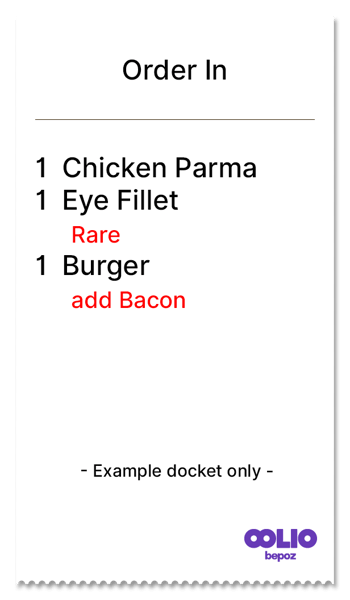
Condiment Products are commonly used for items such as sauces, add-ons, cooking instructions, and cooking temperatures. These items are selected as supporting options for a main Product, rather than being sold independently.
Image below shows examples of Condiment Products linked to other Products.
Prerequisites
Before creating a Condiment Product, ensure the Operator has:
- Privileges to view and edit Products
- Privileges to edit Prices
Condiment Products
The process of creating a Condiment Product is similar to creating a Normal Product. However, Condiment Products require specific settings so they behave correctly when linked to another Product.
- Navigate to the Product being created or edited.
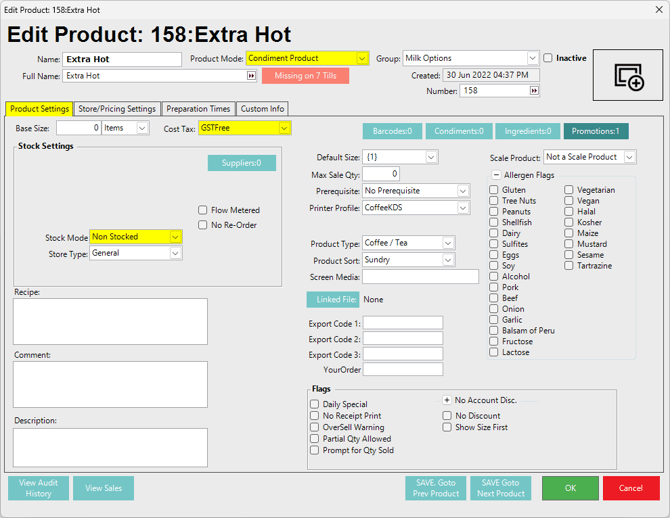
- Set Product Mode to Condiment Product.
- Select the Product Settings tab.
- Set Non-Stocked to On or Off, depending on whether the item should affect stock.
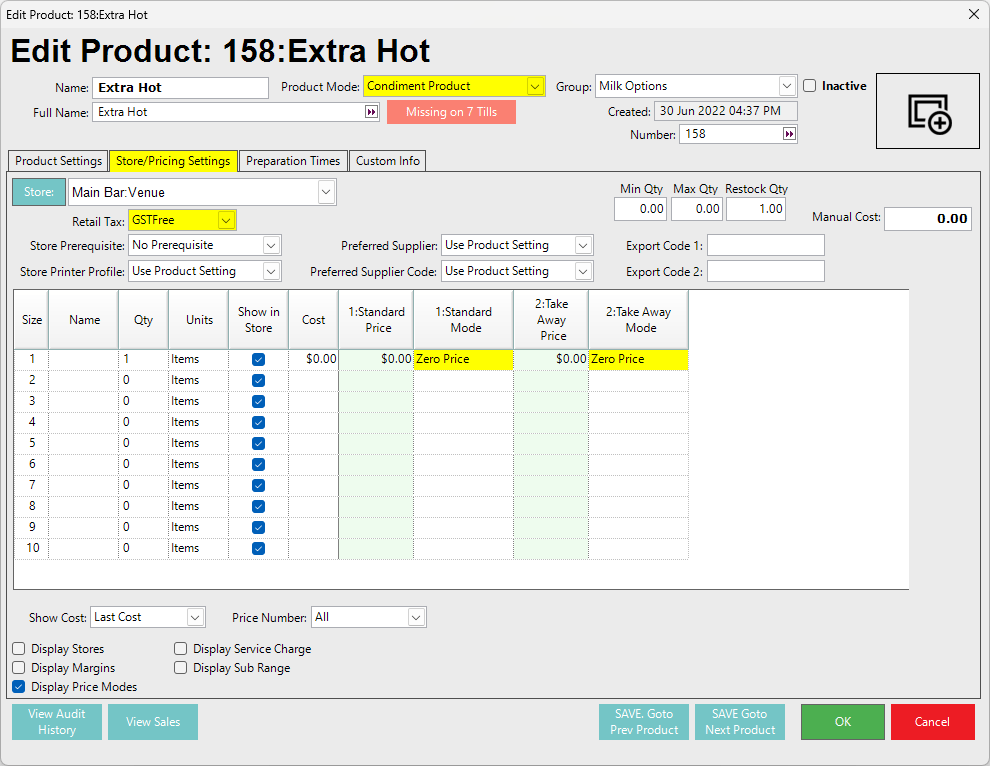
- Select the Store/Pricing Settings tab.
- Confirm whether the Condiment Product requires a price. Some Condiment Products may require an additional charge when added to another Product.
For example, food add-ons may require pricing, while instructional items generally do not. Set the Condiment price as needed. - If no pricing is required set Price Mode to Zero Price.
Video Walkthrough
Further Reading
updated to: bepoz v4.9.0.3