
Summary
When activated, Credit Notes become the only Refund payment method throughout the activated venue.
They are a type of Voucher that are set up and reported on in the same way as other vouchers
Credit Notes; however have extra reporting in the Balance Reports due to their inherent “value” rather than a discount amount
Both “Credit Note Issued” and “Credit Note Redeem” totals are reported separately
Credit Notes can also be pre-printed like Gift Certificates. In fact, Gift cards can also be used as Credit Notes
Prerequisite
- To activate Credit Notes you need Operator Privilege to Access and maintain Venue Stores & tills
- To setup the Credit Note Voucher you need Operator Privilege to Maintain Voucher Setups
Credit Note setup
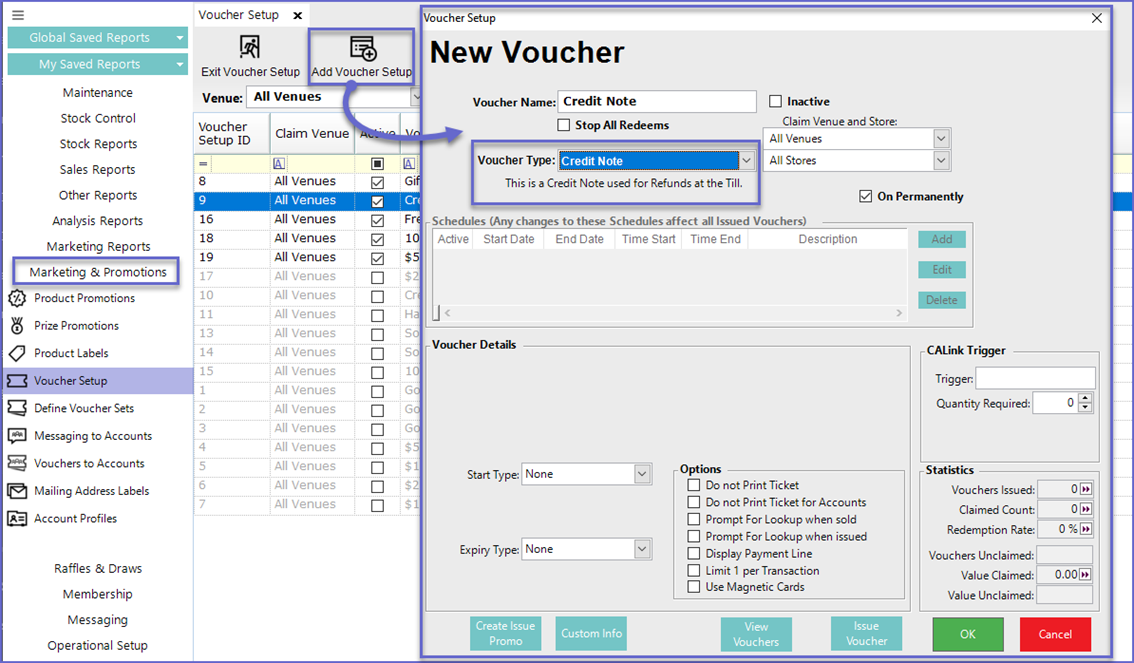
To use Credit Notes as the Refund method, a Credit Note Voucher must first be setup through the Voucher Setup
- To Create a Credit Note Voucher; Go to Marketing & Promotions > Voucher Setup
- Click on Add Voucher Setup to Create a new voucher or Edit Voucher Setup to Edit existing voucher
- Type the Voucher Name and Set the Voucher Type as Credit Note
Turn on Credit Notes
To access the issuing of Credit Notes from the Till they should be defined from the Credit Note Voucher Setup in the 'Main' Tab of Venue Maintenance screen for each venue
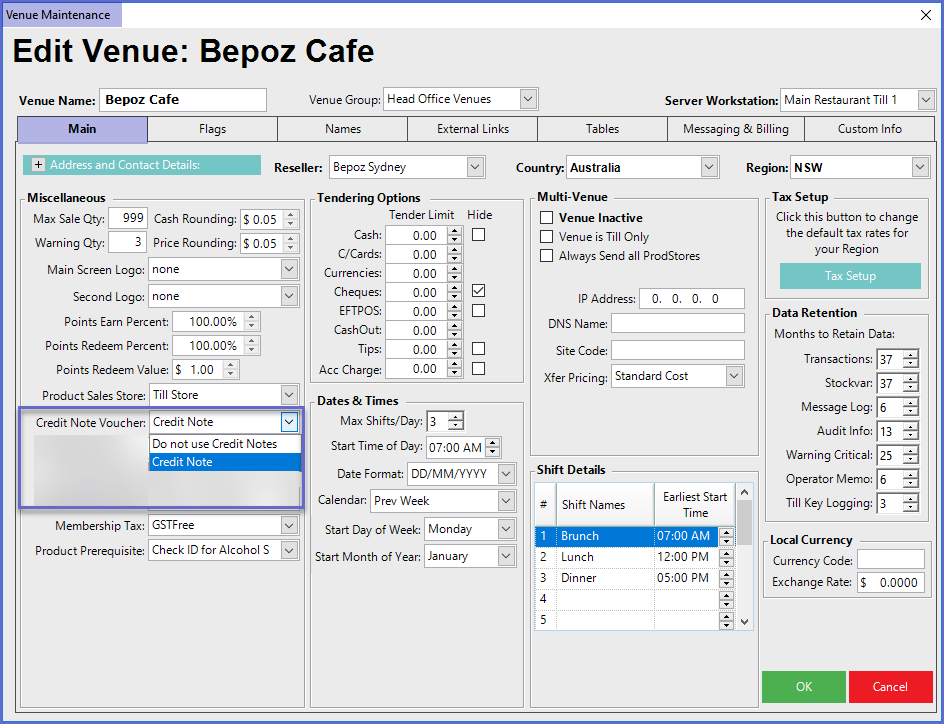
- Once the Credit Note VoucherSetup is defined, any Refund done at the till will prompt to issue a Credit Note
- A Manager can override this and refund cash or other media type
- This Voucher is used as a substitute for a cash refund