
Overview
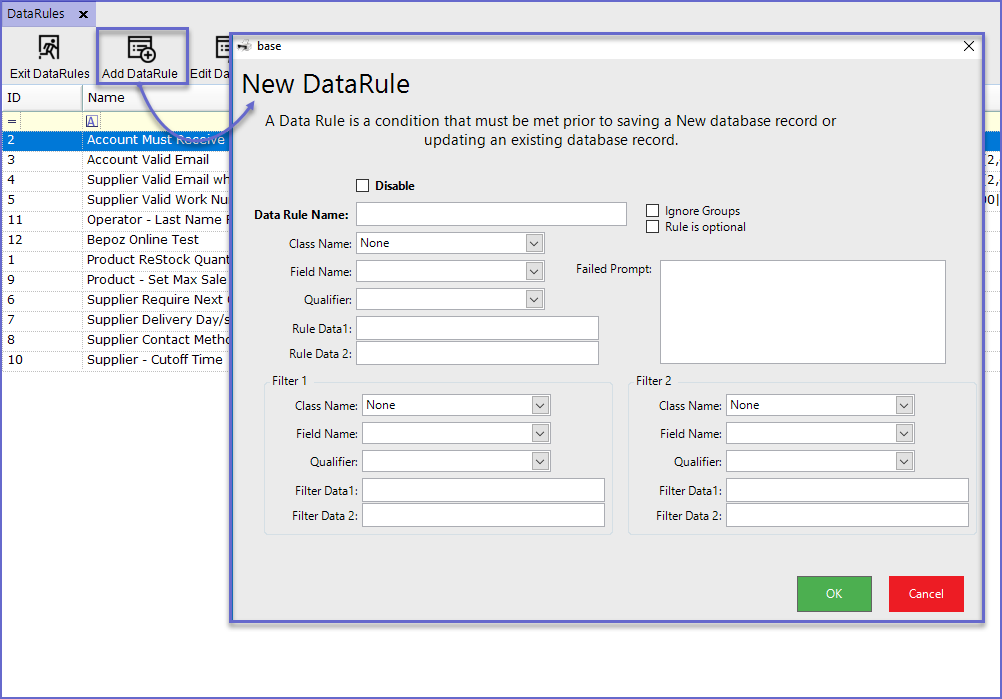
A Data Rule is a condition which must be met prior to saving a New Database record or updating an existing database record.
This function allows Operators to either filter unnecessary information or to ensure that the required information is entered into the system.
In Bepoz, Data Rules can be Added, Edited and Deleted according to Organization's needs which are covered by this article.
Prerequisites
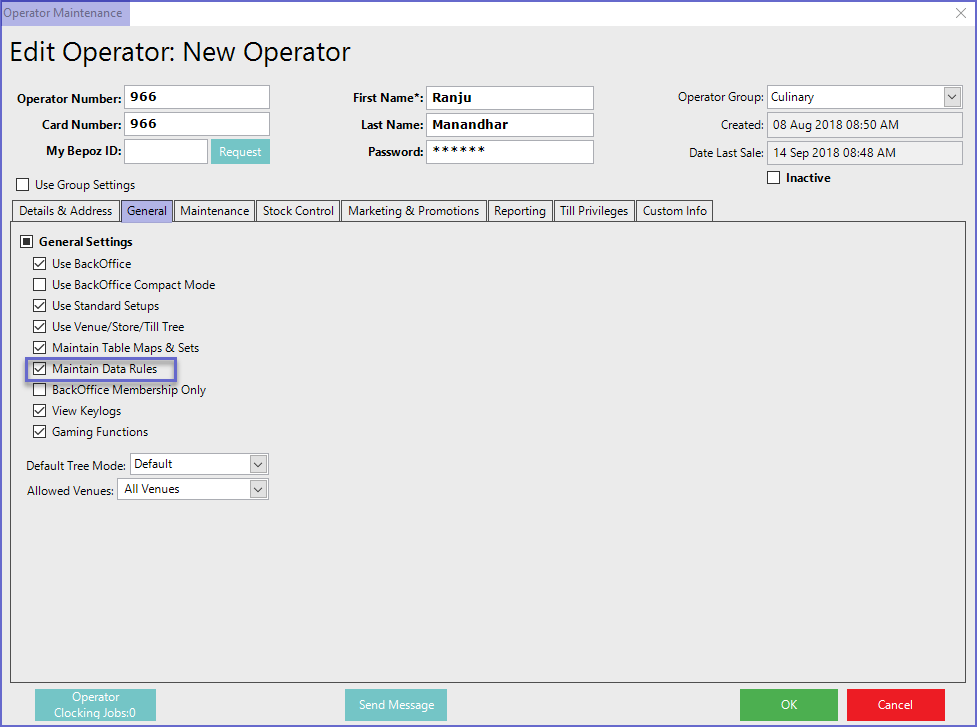
- For an Operator to be able to access Data Rules, the 'Maintain Data Rules' flag within the General Settings of Operator Maintenance must be ticked ON
Accessing Data Rules
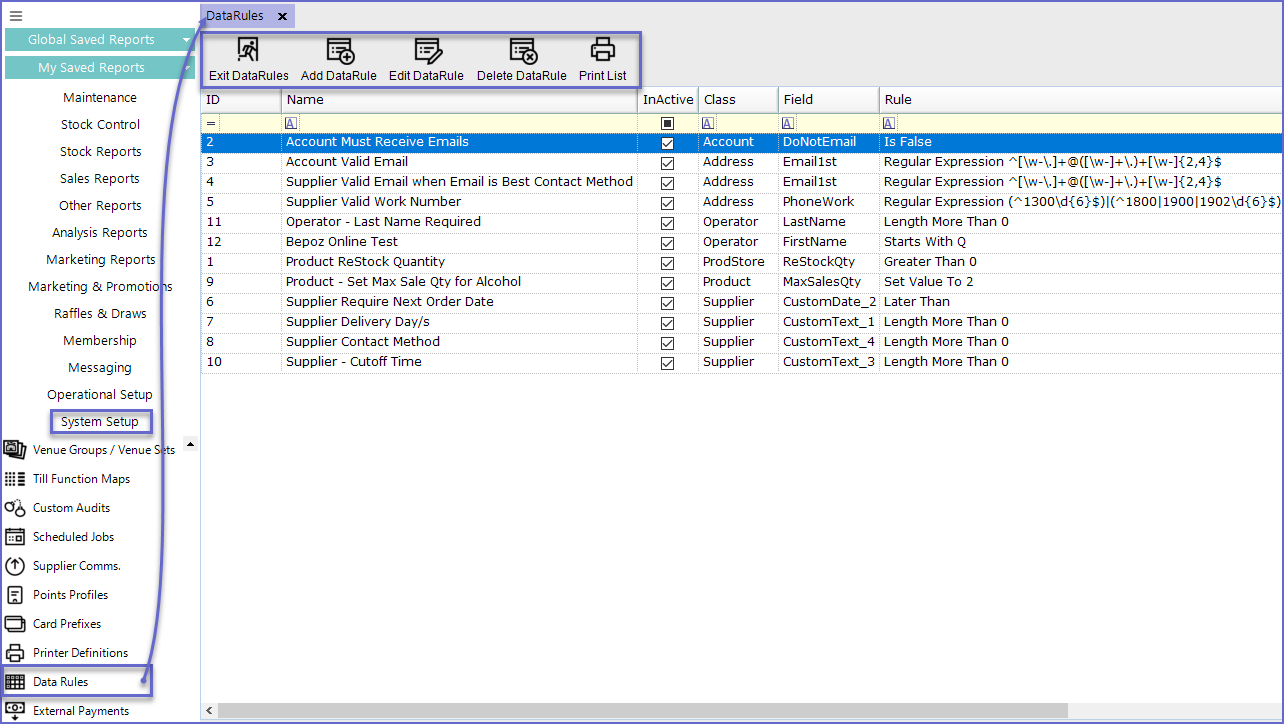
- To access Data Rules, navigate to the System Setup component in the side menu of Backoffice and select Data Rules
- It will open a Data Rules window which contains a number of buttons which can be used for Adding Data Rule, Editing Data Rule and Deleting Data Rule
Adding Data Rules
- To add a new Data Rule, Click on the 'Add DataRule' button at the top of Menu Bar which will open the Base window
General Settings
Editing Data Rules
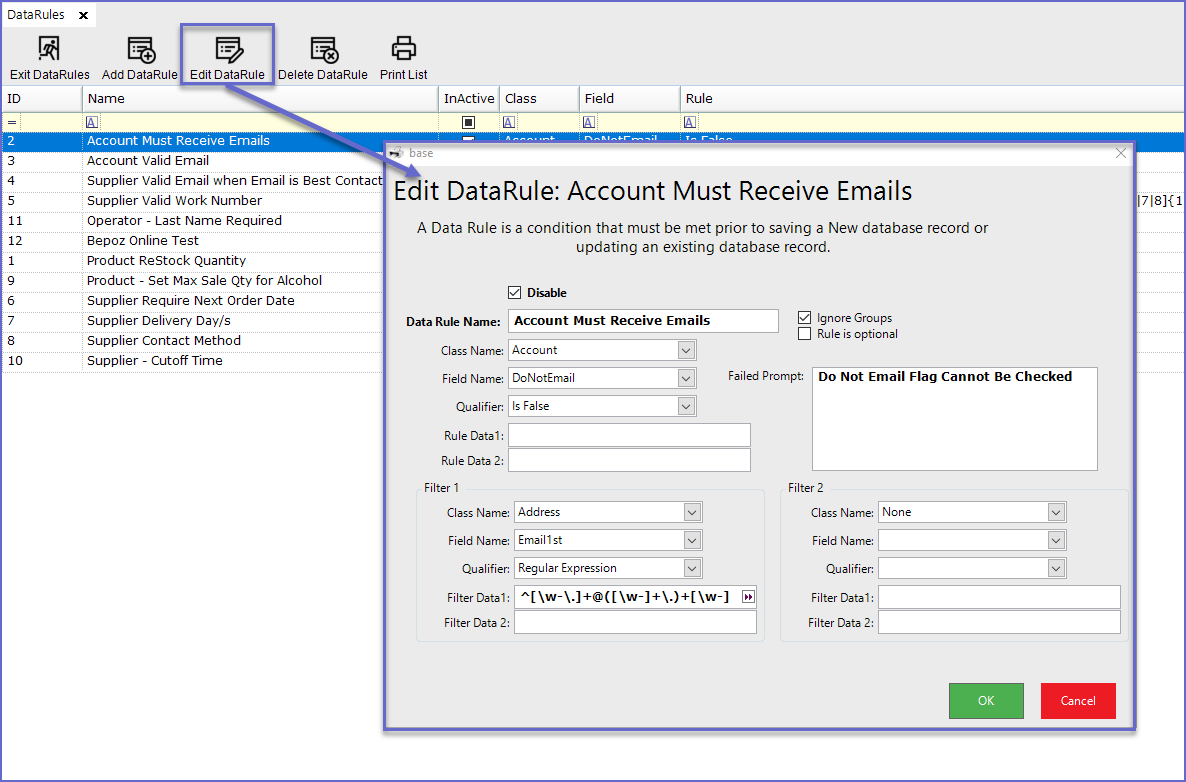
- To edit Data Rules, Highlight the line and click on the 'Edit DataRule' button at the header
- This will open the Data Rule Editing page from where operators can edit the existing Data Rules
Data Rule Example
- In this example, a Data Rule has been created which requires Account Last name to be Added in the system
- The Qualifier has been set as 'Length More Than' and the Rule Data 1 is set to '3'
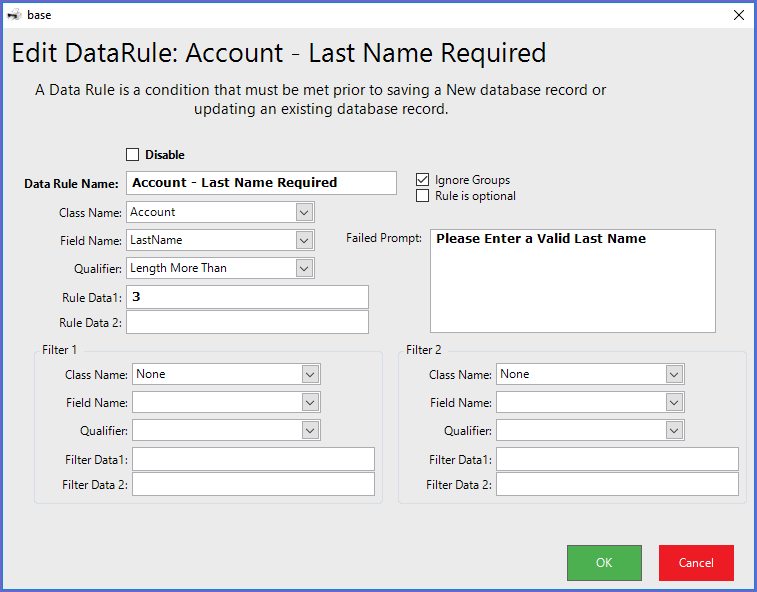
- After the rule has been Saved, any Account added in the system will require a Last Name that has more than 3 characters
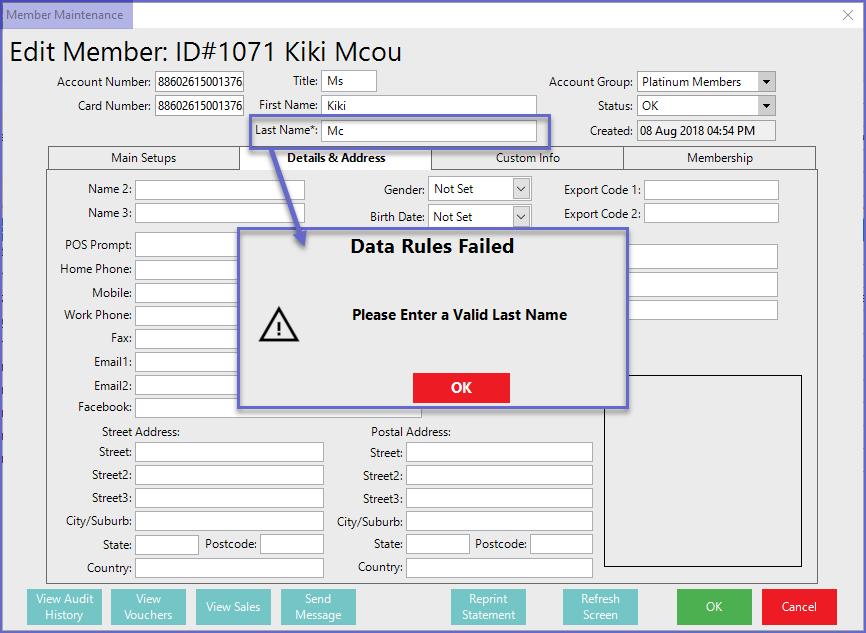
- i.e. If the Surname of the person is 'Mc', the system will not allow operators to Save the action
- If more filters are applied to the Data Rule, it will be valid to only Accounts that fulfill the given criteria
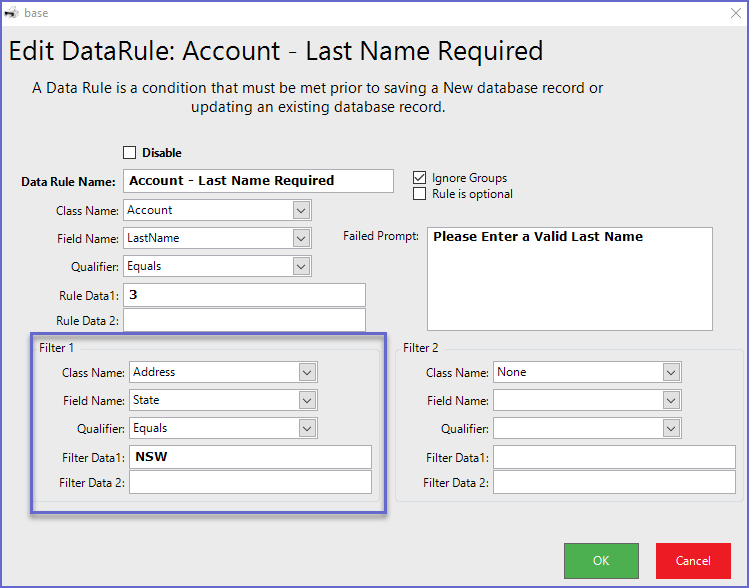
- Here, the rule will only apply to the Account Holders who live in NSW region