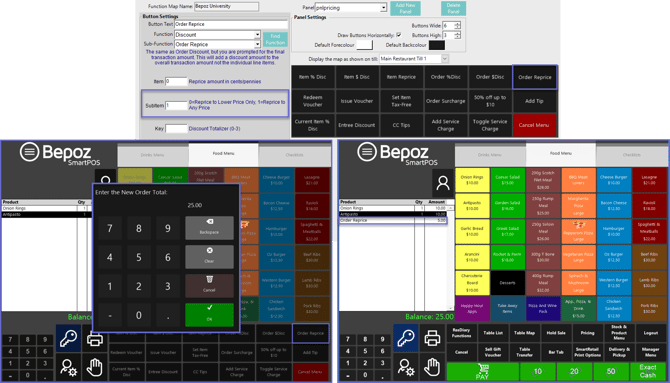
Overview
The 'Order Reprice' discount allows Operators to manually enter the discount amount on the Total Order amount.
Prerequisite
- To access SmartPOS Order Reprice function, the applicable Operator Privileges will need to be enabled
- Operator Maintenance 'Till Privileges' Tab
- General: "Operate Tills" flag
- Table: "Table Sales" flag
Order Reprice
- Order Reprice - like Order Discount - allows Operators to apply a discount on the total transaction amount except that it prompts for the final transaction amount
- To utilize Order Reprice, the Operator will need to have an active, non-finalized transaction
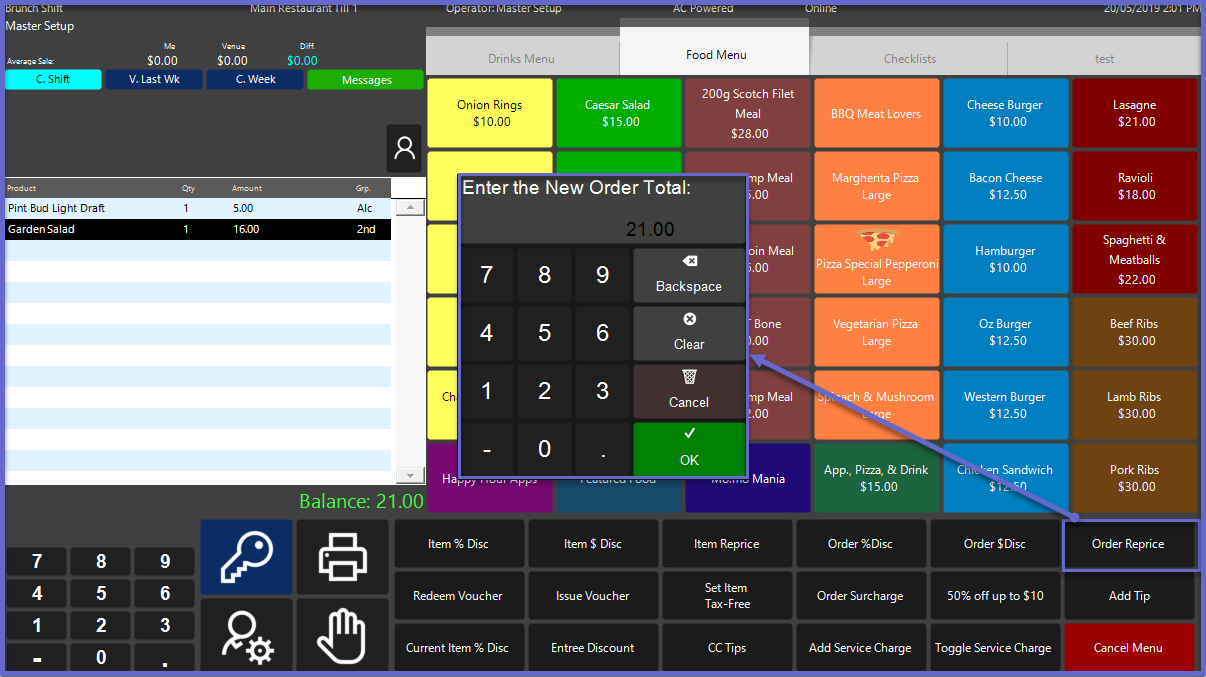
- Select the Order Reprice button in the function panel on SmartPOS
- This will pop-up a new window requesting to enter the New Order total
- Enter the desired total amount and tap OK to apply the discount
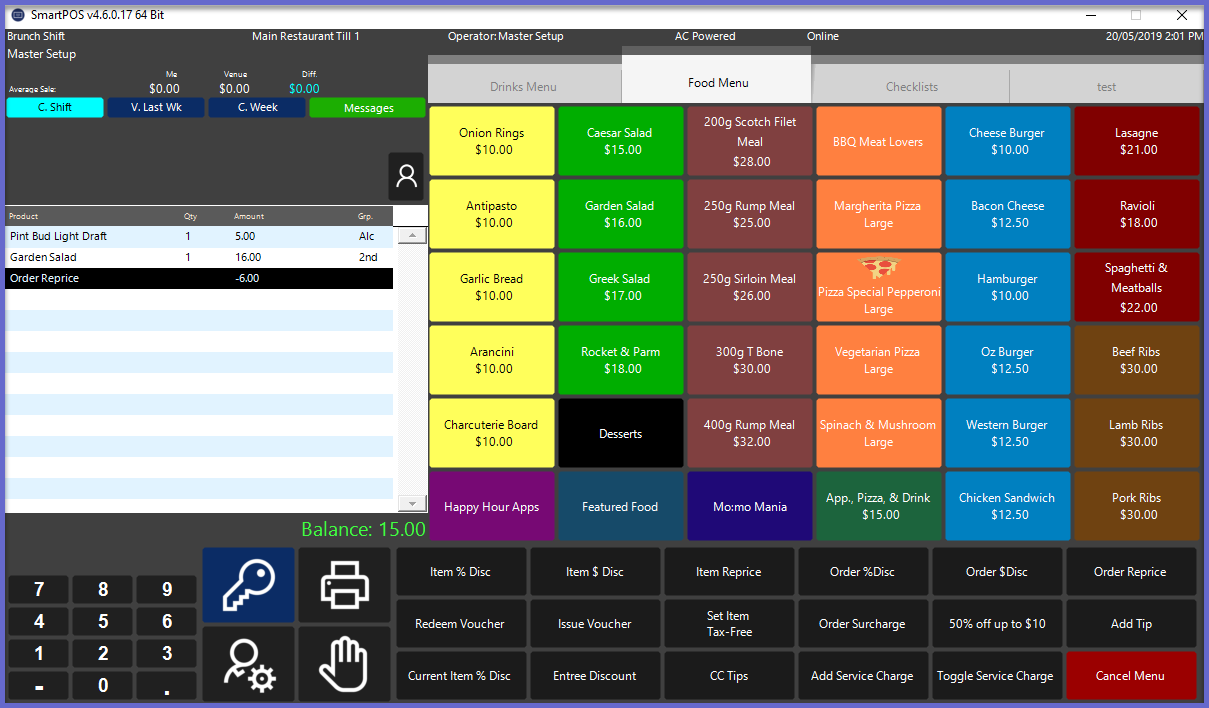
- This Order Reprice discount applied will appear as a line item beneath the products within the transaction window
- This Till Function can also be used to incur a positive reprice; i.e. change the Order Total from $20 to $25
- This can be found within the "Discount" Functions
- The SubItem has an option whereby when entering "1", the Till Function can be used to Reprice an Order to Any Price
- "0" entered into this field will limit the Till Function to only being able to Reprice Negatively