
Overview
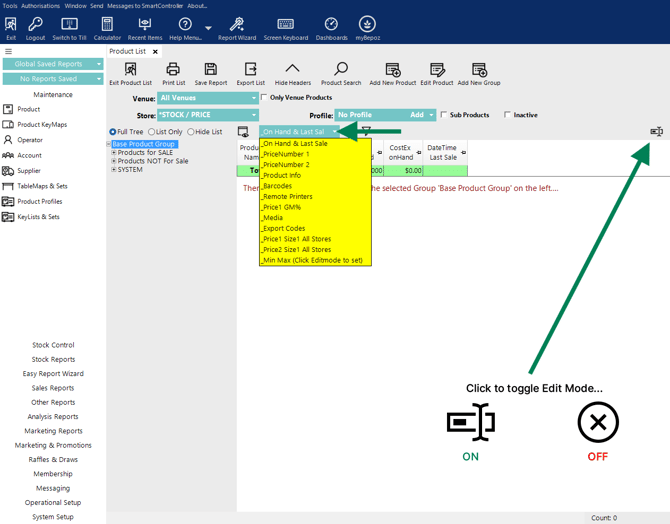
There are a number of Standard Views available in the Product List.
These views may be useful:
-
To quickly compare certain product information.
-
For quick editing purposes, especially when changing prices.
-
To build custom reports.
Tip: Each Product List View displays a different set of default product information fields. Some fields can be edited directly within the selected view.
To edit applicable fields, click the Edit Mode button on the far right.
Fast Navigation Links
Product List Views
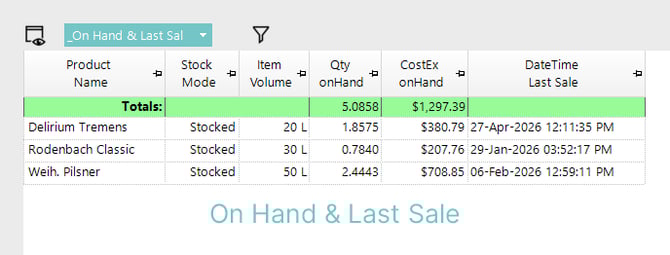
1. On Hand & Last Sale
In addition to the Product Name, this view shows:
- Stock Mode
- Item Volume (Base Size)
- Qty OnHand
- CostEx onHand
- DateTime Last Sale
✏️ Product Name and Stock Mode are editable.
2. PriceNumber 1
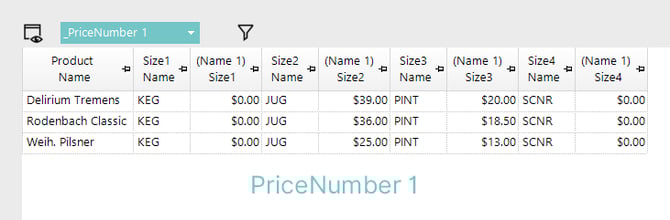
In addition to the Product Name, this view shows:
- Size 1 Name
- Price Number 1 for Size 1
- Size 2 Name
- Price Number 1 for Size 2
- Size 3 Name
- Price Number 1 for Size 3
- Size 4 Name
- Price Number 1 for Size 4
✏️ All fields are editable.
3. PriceNumber 2
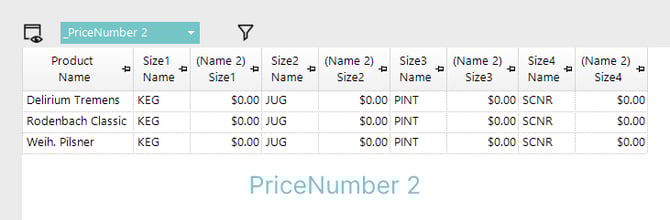
In addition to the Product Name, this view shows:
- Size 1 Name
- Price Number 2 for Size 1
- Size 2 Name
- Price Number 2 for Size 2
- Size 3 Name
- Price Number 2 for Size 3
- Size 4 Name
- Price Number 2 for Size 4
✏️ All fields are editable.
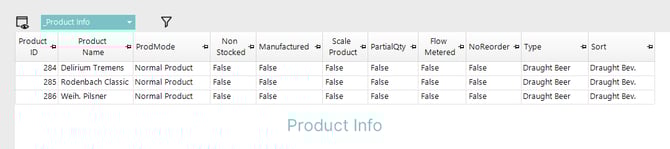
4. Product Info
In addition to the Product Name, this view shows:
- Product ID
- ProdMode
- Non Stocked (shown as True or False)
- Manufactured (shown as True or False)
- Scale Product (shown as True or False)
- PartialQty (shown as True or False)
- Flow Metered (shown as True or False)
- NoReorder (shown as True or False)
- Type
- Sort
✏️ All fields are editable, type True/False to switch where required.
⚠️ Product ID is editable, but avoid doing so.
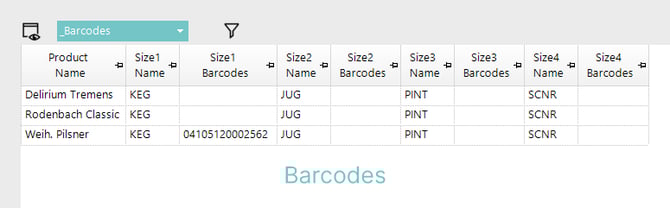
5. Barcodes
In addition to the Product Name, this view shows:
- Size 1 Name
- Size 1 Barcodes
- Size 2 Name
- Size 2 Barcodes
- Size 3 Name
- Size 3 Barcodes
- Size 4 Name
- Size 4 Barcode
❌ Barcodes are not added or edited directly here.
✏️ Product Name and Size(1-4) Names are editable.
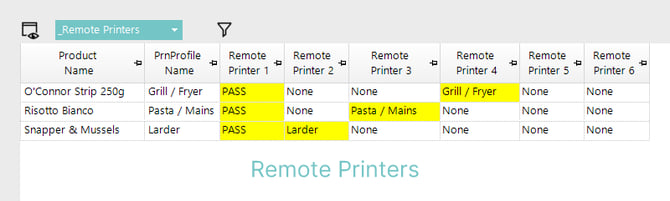
6. Remote Printers (Product Printer Assignment)
In addition to the Product Name, this view shows:
- PrnProfile Name
- Remote Printer 1
- Remote Printer 2
- Remote Printer 3
- Remote Printer 4
- Remote Printer 5
- Remote Printer 6
✏️ Product Name and all Remote Printer assignments are editable.
7. Price1 GM% (Gross Margin Percentage)
In addition to the Product Name, this view shows:
- Size 1 Name
- CostEx Size 1
- Price Number 1 for Size 1
- Price Number 1 GM% for Size 1
- Size 2 Name
- CostEx Size 2
- Price Number 1 for Size 2
- Price Number 1 GM% for Size 2
- Size 3 Name
- CostEx Size 3
- Price Number 1 for Size 3
- Price Number 1 GM% for Size 3
- Size 4 Name
- CostEx Size 4
- Price Number 1 for Size 4
- Price Number 1 GM% for Size 4
✏️ All Size(1-4) Names and selling Price per Size for Price Number 1 are editable.

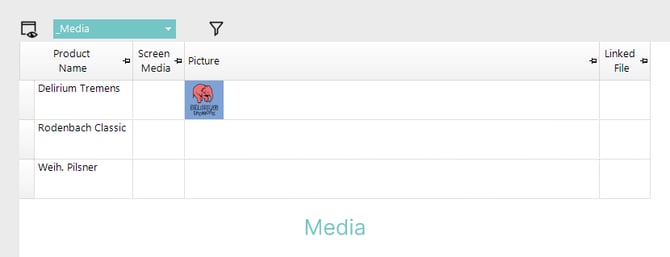
8. Media
In addition to the Product Name, this view shows:
- Screen Media
- Picture
- Linked File
✏️ Product Name, Screen Media and Linked File are editable.
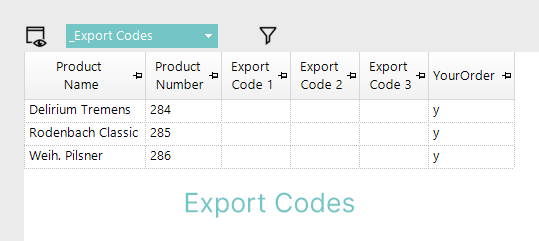
9. Export Codes
In addition to the Product Name, this view shows:
- Product Number
- Export Code 1
- Export Code 2
- Export Code 3
- Export Code 4 (e.g. renamed to YourOrder below)
✏️ All fields are editable.
⚠️ Product Number is editable, but avoid doing so.
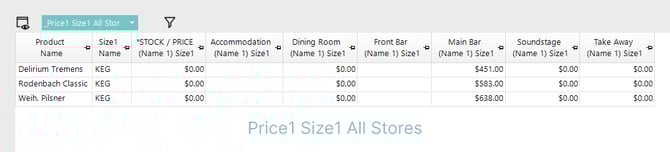
10. Price1 Size1 All Stores
In addition to the Product Name, this view shows:
- Size1 Name only
- Selling price of Price Number 1, Size 1 for all Stores available to the Operator
✏️ All fields are editable.
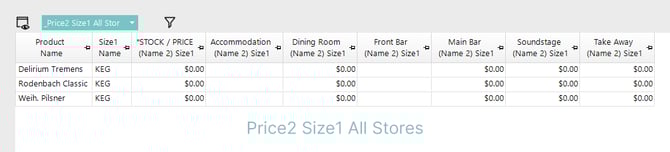
11. Price2 Size1 All Stores
In addition to the Product Name, this view shows:
- Size1 Name only
- Selling price of Price Number 2, Size 1 for all Stores available to the Operator
✏️ All fields are editable.
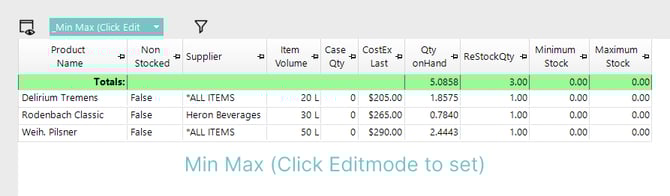
12. Min Max (Click Editmode to set)
In addition to the Product Name, this view shows:
- Non Stocked (shown as True or False)
- Supplier
- Item Volume (Base Size)
- Case Qty
- CostEx Last
- Qty OnHand
- ReStockQty
- Minimum Stock
- Maximum Stock
✏️ Product Name, Case Qty, ReStock Qty, Minimum Stock, and Maximum Stock are editable.
Standard and Custom Views
Standard Product List Views can be edited by opening the View Editor using the icon shown in the image. Standard views are identified by an underscore at the beginning of the view name, for example, _On Hand & Last Sale.
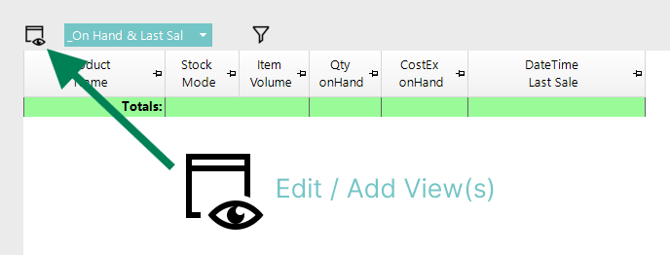
Custom views may also be created from the View Editor.
If a Standard view has been edited, it can be reset by deleting the edited view. Once deleted, the original Standard view will repopulate and become available again.
When deleting a Standard view:
-
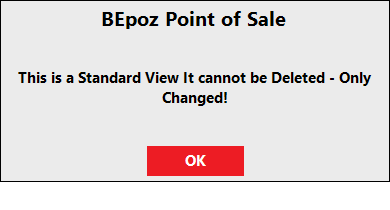
If the pop-up states This is a Standard View it cannot be Deleted - Only Changed!, no edits have been made to the Standard view.
-
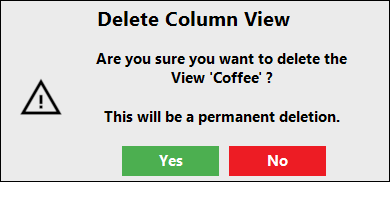
If the pop-up warns Are you sure you want to delete the View '_NameOfView'? This will be a permanent deletion., the Standard view has been edited and can be deleted to reset it.
-
Any custom added views will be permanently removed if deleted from the View Editor.
updated to: bepoz v4.9.0.1