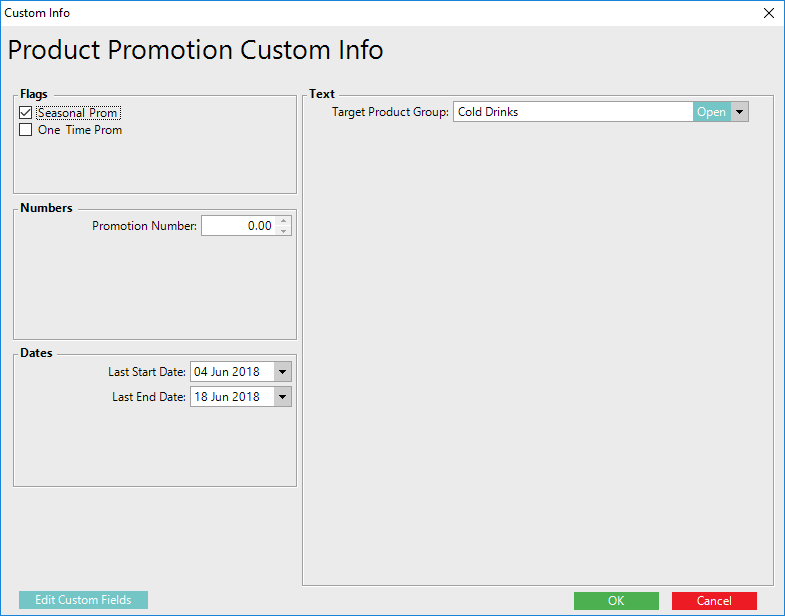
Overview
The "Custom Info" for Product Promotions allows Operators to create fields and add additional information that can be later used to create Reports.
This allows for four (4) types of fields to be created - Flags, Numbers, Dates and Text field where Number, Name and multiple values can be entered.
Prerequisites
- To access Promotion features, the applicable Operator Privileges will need to be enabled
- Marketing & Promotions Tab
- Promotions: "Maintain Product Promotions" Flag
- Promotions: "View Product Promo Custom Info" Flag
- Promotions: "Edit Product Promo Custom Info" Flag
Product Promotion Custom Info
- The "Custom Info" tab allows for adding information about the Promotion
- The configuration of these fields is not mandatory but can be used for Report purposes
Getting Started
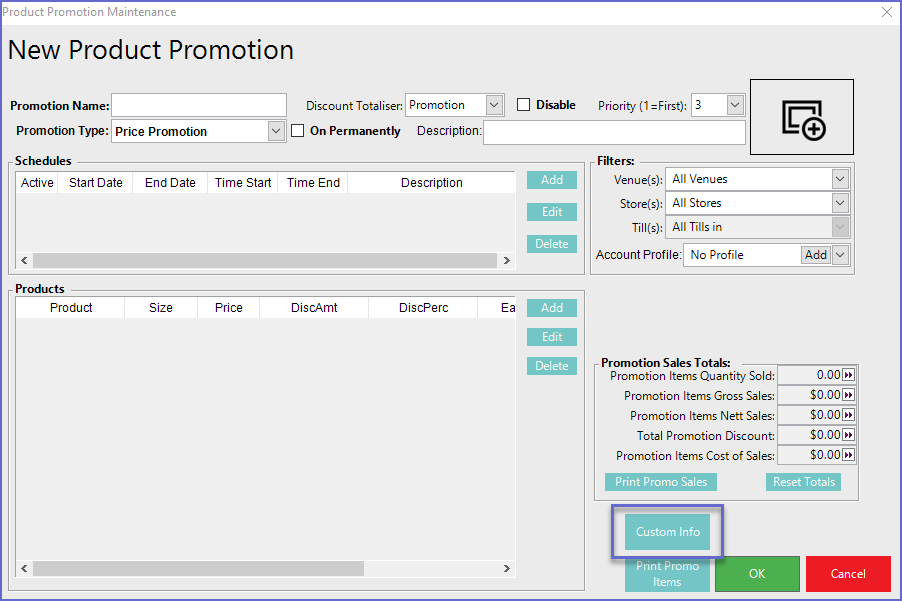
- The "Custom Info" for Product Promotions can be accessed via the button located below the Promotion Sales Totals section
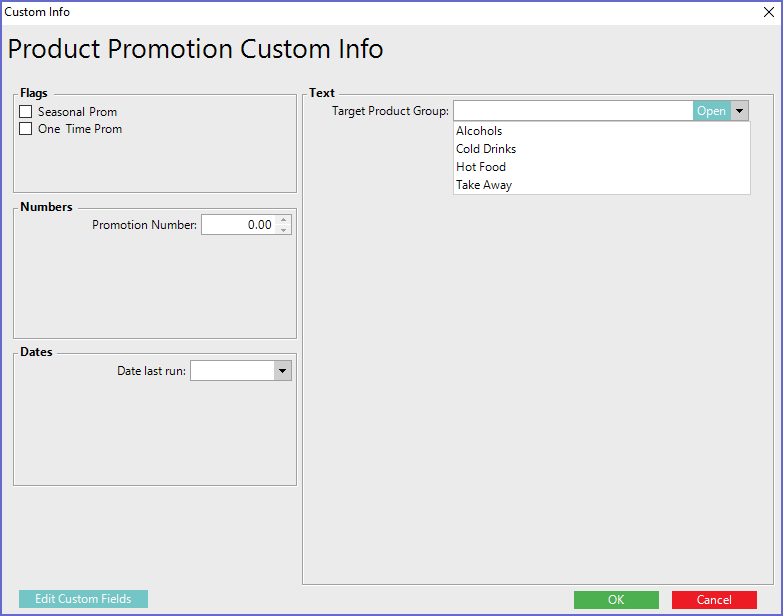
- Once the button is clicked, it will open up a new window that displays all the extra information (or it may be blank if none have been configured yet)
- This information is in the format of Flags, Numbers, Dates and Text fields
Maintaining Custom Fields
- The Custom Info window contains Optional Fields which can be Edited to suit an Organization's needs and/or preferences
- Begin by clicking on the Edit Custom Fields button in the button right corner which will open a Custom Fields edit window
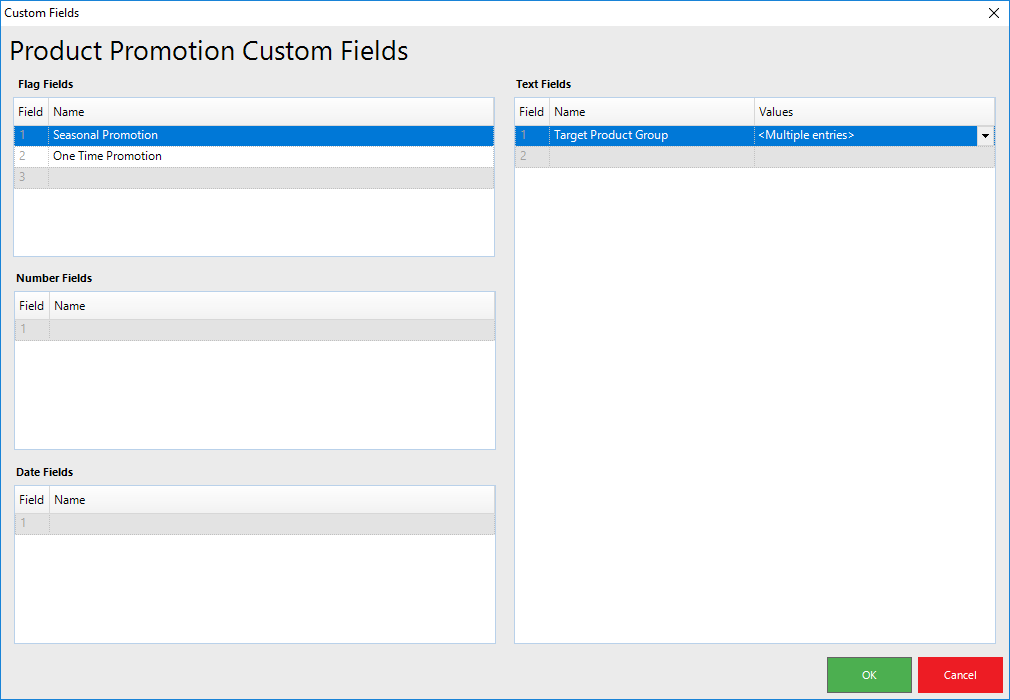
- Click within the Field Names to Enter information
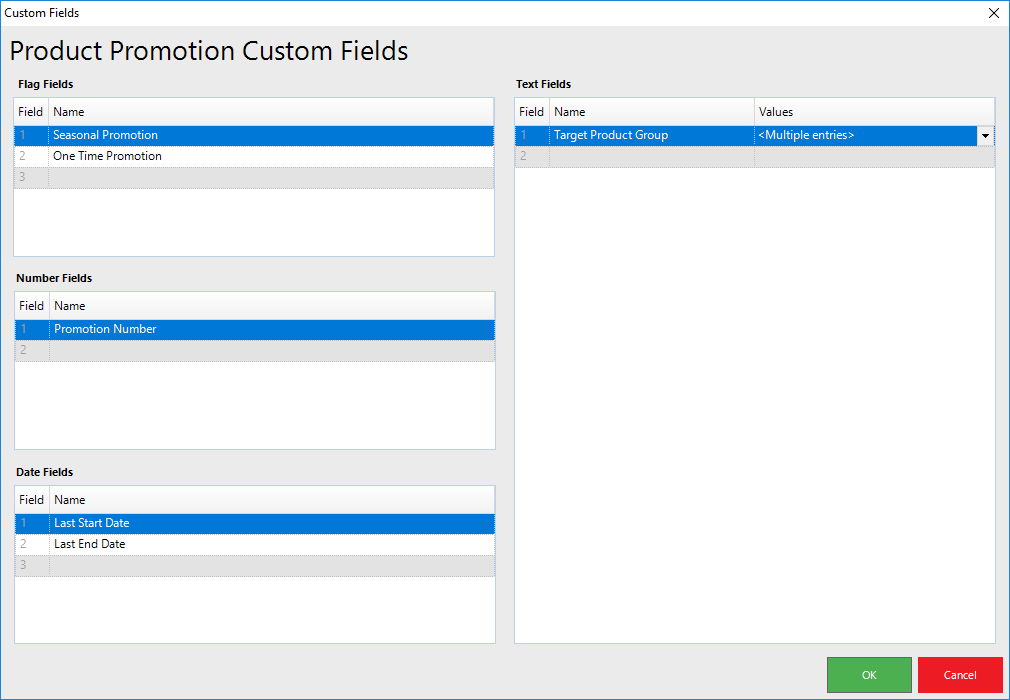
- After the fields are added, the information can be Viewed and Edited in the Custom Info tab for the individual Product Promotion