Overview
Rewards are Global promotions and thus once set up will be both earned and redeemed at all Venues all the time without a schedule.
Rewards can only be issued to Account holders.
The Reward is always a free item - 100% discount of the next valid Product sold to the Account holder.
Prerequisites
- To access Rewards features, the applicable Operator and Global Privileges will need to be enabled
- Within Operator Maintenace, on the General Tab
- System Setup flags:
- Access Venue, Stores & Tills
- Maintain Venue, Stores & Tills
- Maintain Global Settings
- Within a Multi-Venue setup, Head Office controls rewards - therefore if a connection can't be established then the reward system will not be active
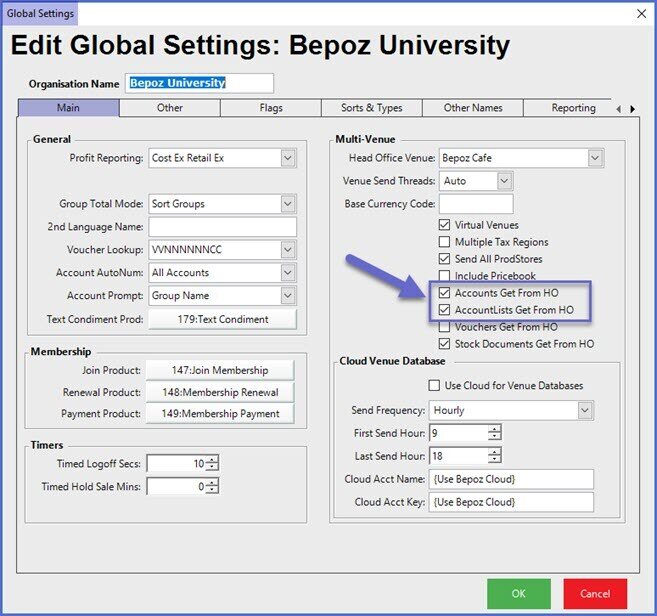
- It is recommended that the "Account Get From HO" flag as shown below is set as true to ensure the reliability of this feature
Setup
- As rewards are a Global Setting, these must be configured within the Global section of BackOffice
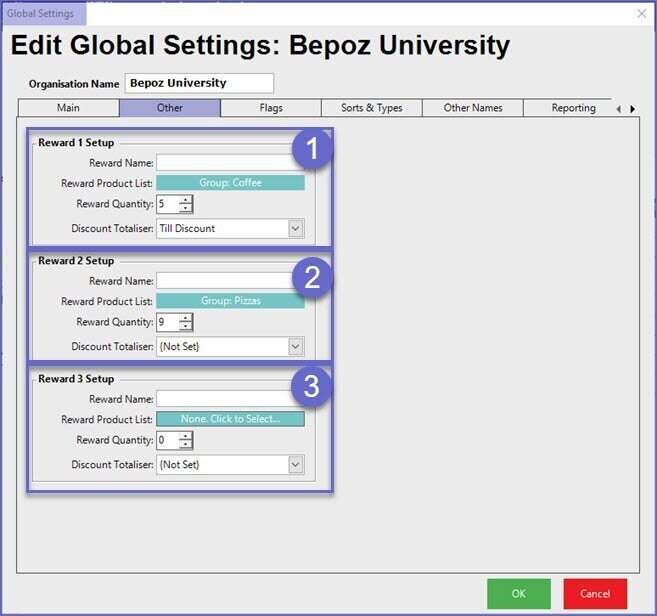
- The 'Other' tab within Global Settings allows for beginning configuration of a Rewards program
- Bepoz supports up to 3 concurrent Rewards programs
Example
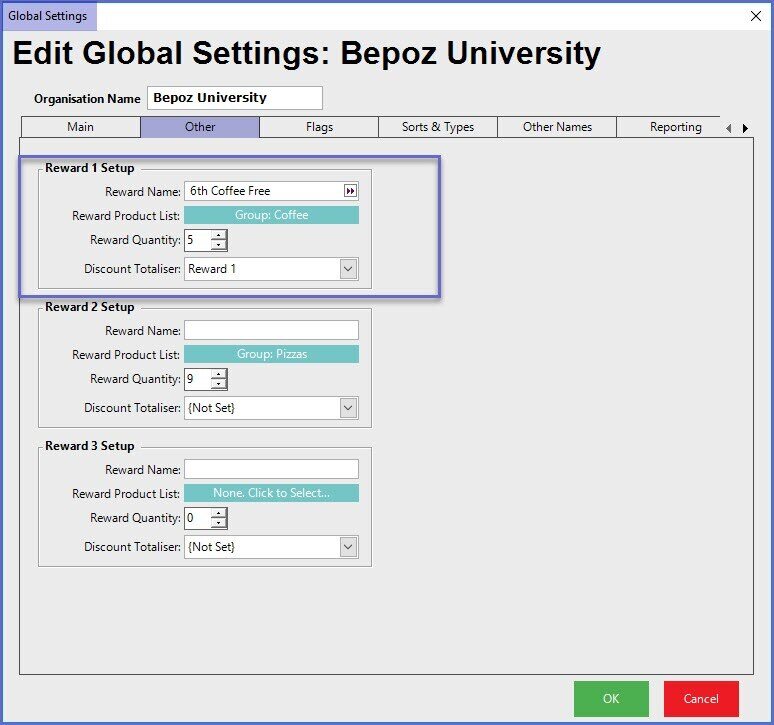
- The below example shows a rewards program where customers would receive their 6th coffee free
- In this case, the Product Group called 'Coffee' is in the Reward program
- The Gross value of the 6th coffee will report to the 'Reward 1' Discount Totaliser