
Overview
This article covers the Split Package Sales flag on the Edit Product screen in bepoz BackOffice.
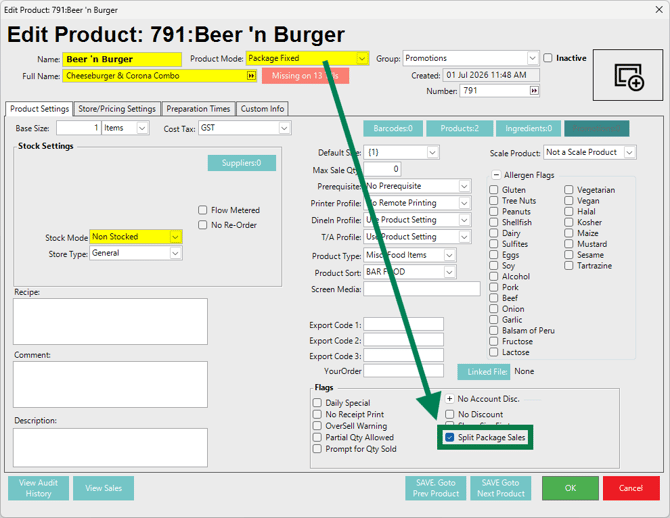
The Split Package Sales flag controls how the sale value of a Package Product is reported when the Package contains fixed or selectable Sub-Products. When enabled, the Package sale amount is split across the Package’s Sub-Products based on each Sub-Product’s normal selling price.
Prerequisites
To access, configure, and review the Split Package Sales flag, the applicable Operator Privileges must be enabled for Product Viewing & Editing, and Sales Report Viewing.
Split Package Sales Flag
The Split Package Sales flag appears in the Flags section of the Product Settings tab after the Product Mode is set to either Package Fixed or Package Selection. The flag is not visible for any other Product Mode.
When the flag is enabled, the sale amount of the Package Product is prorated across the Package’s Sub-Products according to their normal selling price relationship.
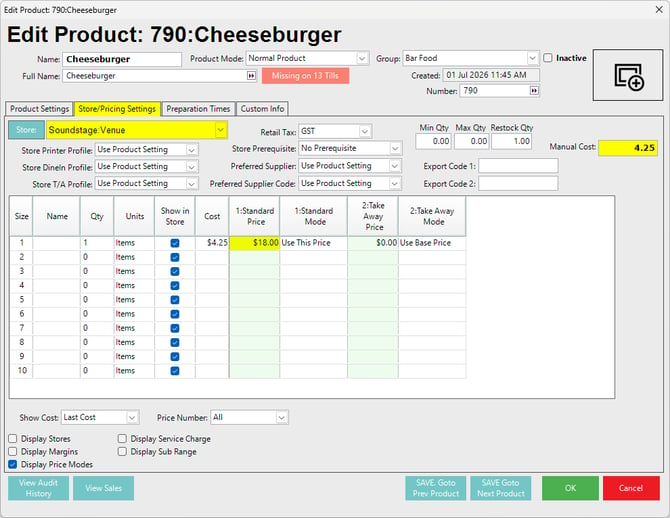
For example, if one Sub-Product has a normal price of $18.00 and another has a normal price of $12.00, the reporting split is calculated using a 60% / 40% ratio.
Example Products
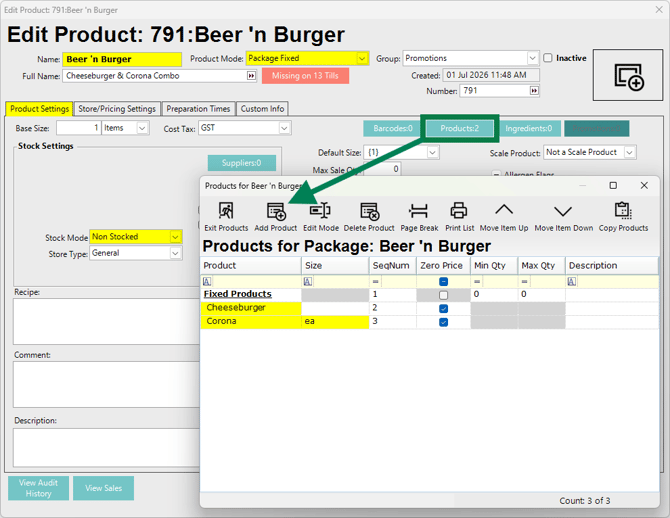
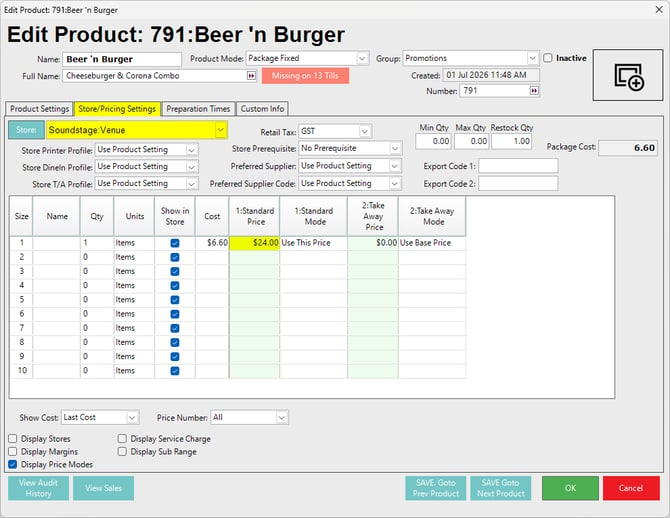
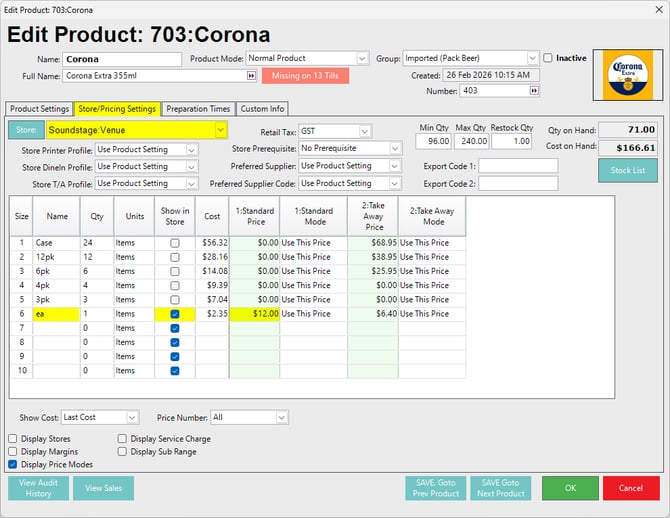
In the examples shown below, the Package Fixed Product is configured as follows:
| Field | Example Value |
|---|---|
| Product Name | Beer 'n Burger |
| Full Name | Cheeseburger & Corona Combo |
| Product Mode | Package Fixed |
| Package Product Price | $24.00 |
| Package Cost | $6.60 - calculated from the Manual Cost of the burger, and the invoiced cost of one (1) Corona bottle. |
| Stock Mode | Non Stocked |
The Package Fixed Product contains two fixed Sub-Products:
| Sub-Product | Normal Price | Split Ratio |
|---|---|---|
| Cheeseburger | $18.00 | 60% |
| Corona | $12.00 | 40% |
The Package Fixed Product is sold for $24.00. With Split Package Sales enabled, the sale amount is reported against the Sub-Products as:
| Sub-Product | Calculation | Reported Amount |
|---|---|---|
| Cheeseburger | $24.00 × 60% | $14.40 |
| Corona | $24.00 × 40% | $9.60 |
As additional Sub-Products are added to the Package Fixed Product, the prorated reporting percentage is recalculated based on each Sub-Product’s normal price compared with the combined normal price of all Sub-Products in the Package.
Product Setup Examples:
Reports
When the Package Fixed Product is sold, the Package sale amount is split across the Sub-Products for reporting.
In this example:
- The Package Product Beer 'n Burger is sold for $24.00.
- The Cheeseburger component receives $14.40.
- The Corona component receives $9.60.
- The total reported sale amount remains $24.00.
This keeps the reporting totals accurate while assigning sales value to the underlying Products used inside the Package.
1. Till Balance Report
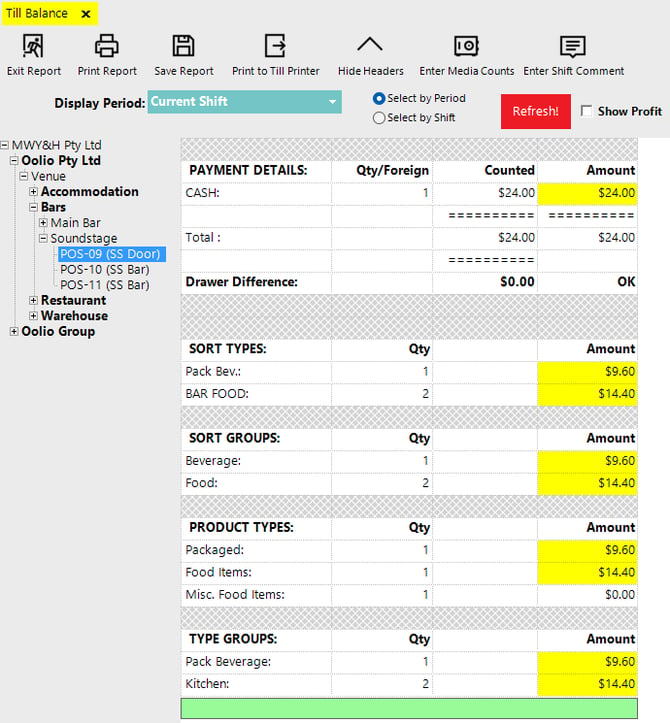
The Till Balance report shows the Package sale total split across the reporting categories of the Sub-Products.
In the example, one Beer 'n Burger Package Product has been sold for $24.00. The Till Balance report shows the expected 60% / 40% ratio.
This confirms that the sale amount is split into the relevant Sort Types, Sort Groups, Product Types, and Type Groups attached to the Sub-Products.
2. Product Summaries Report
The Product Summaries report also shows the Package sale amount split across the Sub-Products and actually displays the 60% / 40% ratio.
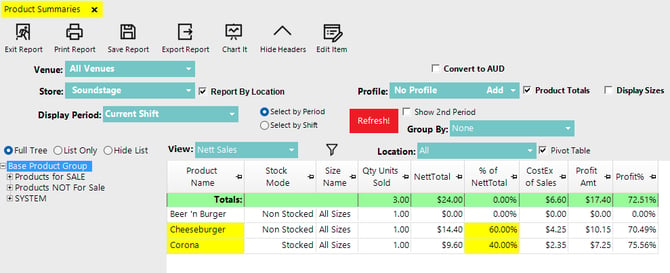
The report total remains $24.00, with the Package Product itself showing $0.00 because the sale value has been allocated to the Sub-Products.
updated to: bepoz v4.9.0.4