
Overview.
Stripe is an online payment method that can be used with MyPlace
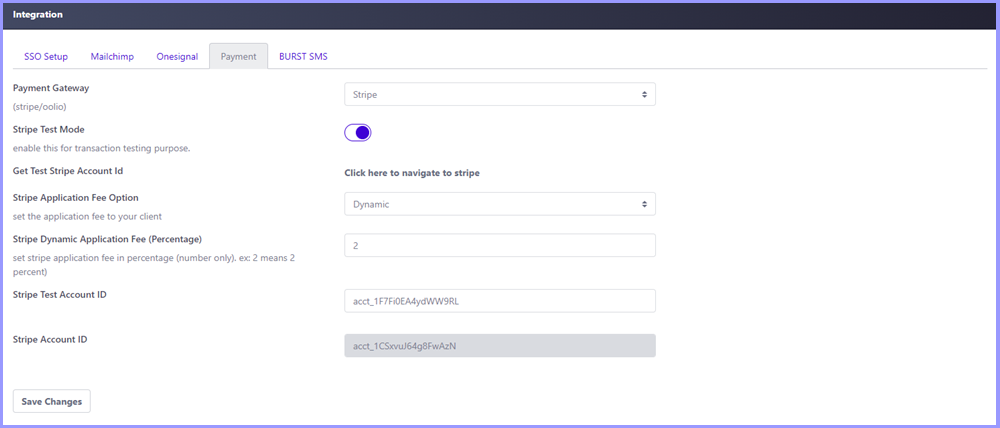
Payment Gateway: Click the dropdown and select Stripe
Stripe Test Mode: A toggle that allows users to switch from test mode to live mode. When Blue, this will mean Stripe will be in test mode, usually used for testing Stripe integration. When Red, this will mean Stripe will be in live mode and users' credit cards will be charged when a payment is successful
Get Test Stripe Account Id: Click the link to open the Stripe website
Stripe Application Fee Option: A dropdown that allows users to choose an application fee type, Dynamic (percentage) or Fixed (Cents)

Stripe Dynamic Application Fee (Percentage): When Stripe Application Fee Option is set to Dynamic, this field will be displayed. Input a numerical value to apply the application fee by percentage

Stripe Fixed Application Fee (Cents): When Stripe Application Fee Option is set to Fixed, this field will be displayed. Input a numerical value to apply the application fee by cents

Stripe Test Account ID: Input the test account ID. This account will be used when Stripe is set to test mode
Stripe Account ID: Input the live account ID. This account will be used when Stripe is set to live mode