
Overview
Once you have logged into BackOffice, and if you have the appropriate Operator privileges, you can change your Operator Password.
Prerequisites
- Operator Privilege to Use BackOffice
- Operator Privilege to Edit Operators
Procedure
- Go to BackOffice 'Maintenance' menu
- Click Operator
- Find your Operator Group and Operator Name and highlight it
- Double-Click to Edit or click Edit Operator from the menu header
- Delete anything in the Password (green box) field
- Type in your new Password
- Click Logout (yellow box) then Login again with your new credentials
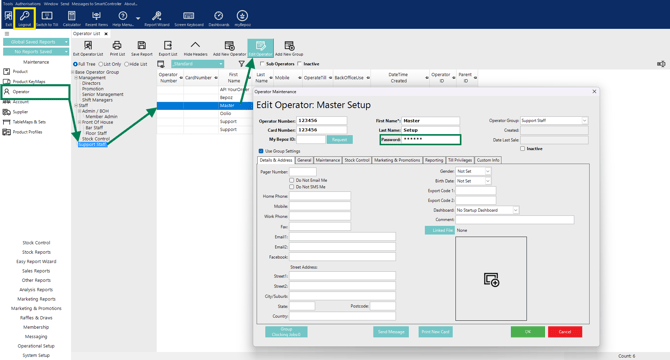
Note: the Password will always display as six (6) 'stars' once saved, regardless of length.
updated to: bepoz v4.8.2.1