
Prerequisites
- To access Sales Reports, the applicable Operator Privileges will need to be enabled
- Operator Maintenance 'Reporting' Tab
- Flag on All 'Sales Reports' options
- Operator Maintenance 'Reporting' Tab
Procedure
In Backoffice, under Sales report click on the Transaction Journal
To understand how to use the Transaction journal, follow this guide.
Find your Transaction to Reprint and double click on it, as below
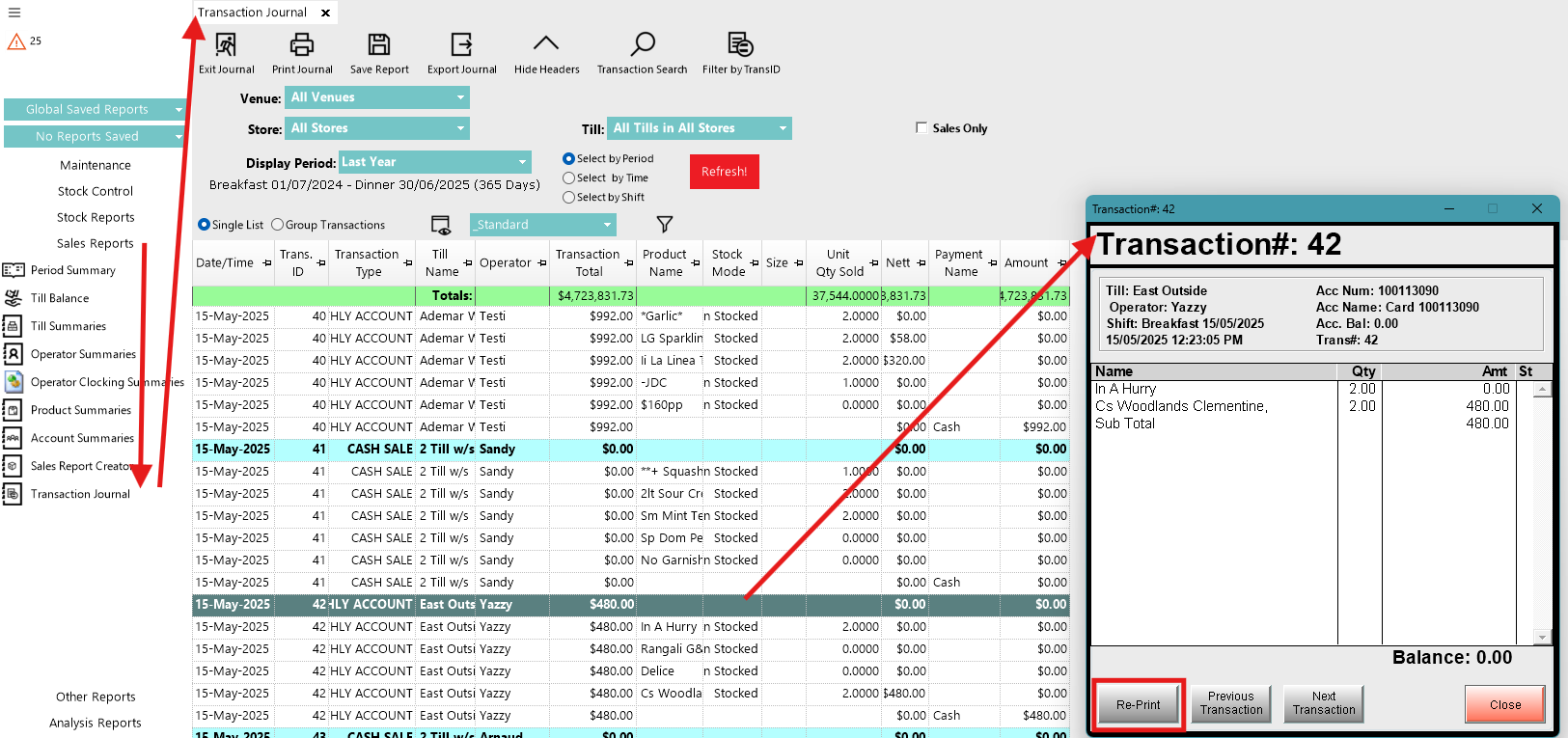
Click the Re-Print button
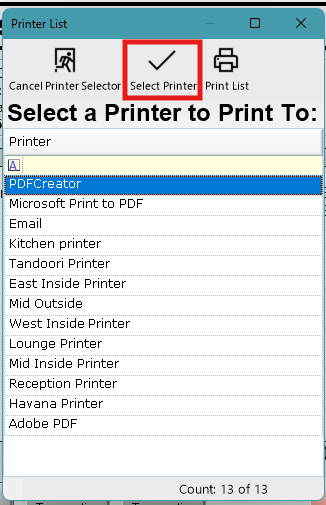
Highlight and click Select printer to select the printer to Re-print back to.
Note: Make sure to advise staff a Receipt will reprint, so as they dont discard it.
Reprinting to a physical printer may not be possible in a Multi-venue system but its possible using a Windows (PDF) Printer to first save the Receipt as a PDF and reprint it locally.