
Overview
Allergen Flags, also referred to as Allergen Tags, allow venues to display clear dietary and allergen information on the bepoz Self-Service Kiosk. These flags appear on product tiles and product detail screens to help customers make informed ordering decisions.
The system supports both standard Allergen Flags, which are fixed and cannot be edited, and custom Allergen Names, which are configured globally in BackOffice. Once configured, these flags can be assigned to Products in BackOffice and are then displayed automatically on the Kiosk.
Standard Flags
-
bepoz includes seventeen (17) standard Allergen Flags, which are hard-coded and cannot be renamed or removed.
-
These typically represent common allergens such as Dairy, Eggs, Gluten, Peanuts, Shellfish, Soy, etc.
-
The Kiosk UI recognises these standard flags and displays them consistently across all venues.
Custom Allergen Names
-
bepoz allows for customisation of up to fifteen (15) additional Allergen Flag Names. These can only be edited at a global level.
-
Please contact bepoz Support if you require assistance setting up Custom Allergen Names.
Internal Use Only - Further Reading: Allergen Flags - Global Settings
Assigning Allergen Flags to Products
Once global allergen names are set, they can be applied at the product level.
🛠️Where to Assign
-
Backoffice → Maintenance → Products → Edit Product → Allergen Flags
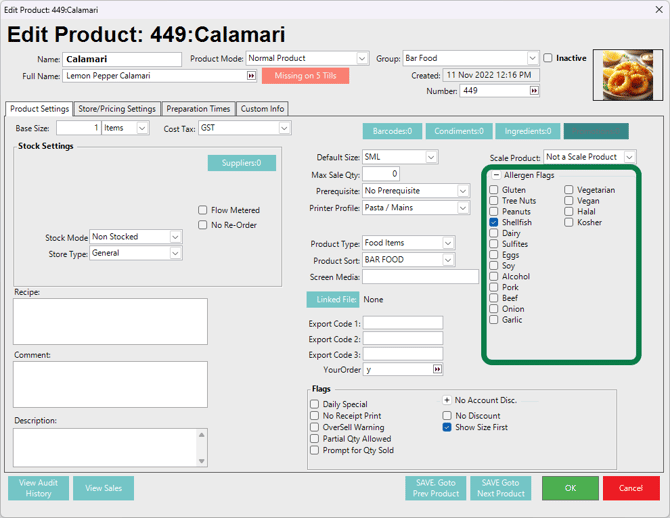
From here:
-
Tick the standard or custom Allergen Flags that apply to the Product.
-
Save the record (tap 'OK').
-
These flags will sync to the kiosk automatically.
Tip: Allergen Flags may also be applied to Products modifiers/condiments if required by the venue.
🔎How Allergen Flags Display on the Kiosk
Allergen information is shown in two key areas:
1. Product List (Tiles)
Small allergen icons appear below the product price.
Icons follow the styling in the active Kiosk Profile.
If a product has multiple flags, only the most relevant icons are shown—full details appear on the product detail screen.
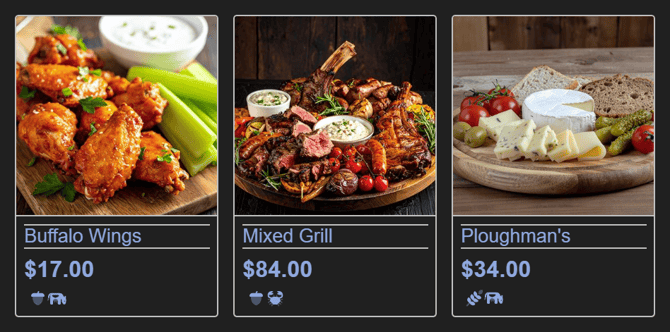
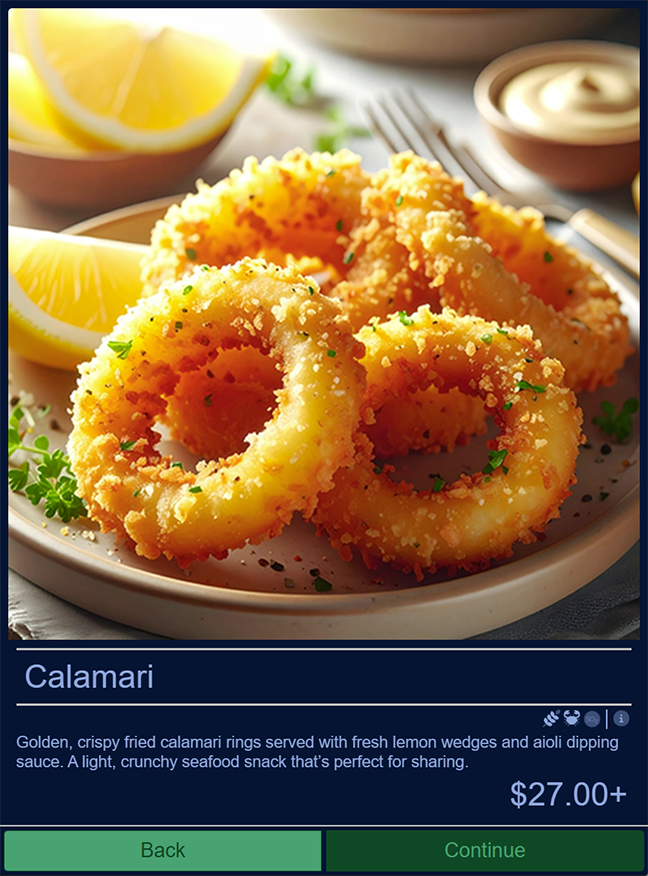
2. Product Detail Screen
All assigned Allergen Flags are listed clearly under the product description.
Icons appear alongside the tag name for maximum clarity.
This view displays the full set of standard and custom name flags.
Display Behaviour
-
Allergen Flags are always visible and do not require customer interaction.
-
If no flags are assigned, the allergen section does not display.
-
Custom allergen names use a generic icon style, while standard flags may use predefined icons for consistency.
updated to: bepoz v4.9.0