
Overview
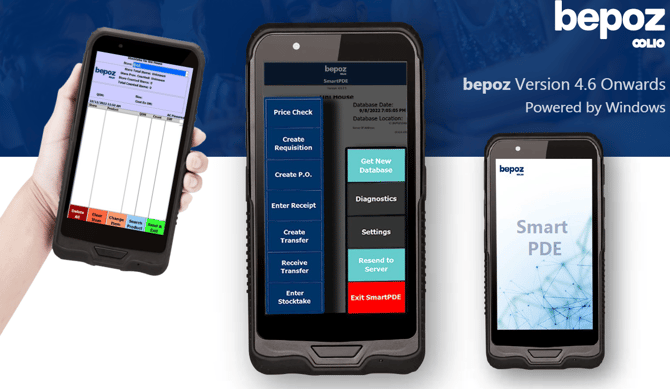
The Windows SmartPDE Tablet (2025 Model) is a rugged handheld device designed for mobile inventory and stock workflows using bepoz SmartPDE. It provides a larger touch display, integrated barcode scanning, and wireless connectivity to support common in-store and back-of-house tasks.
Compatibility
This device is compatible with bepoz environments from v4.6 onwards.
Key specifications
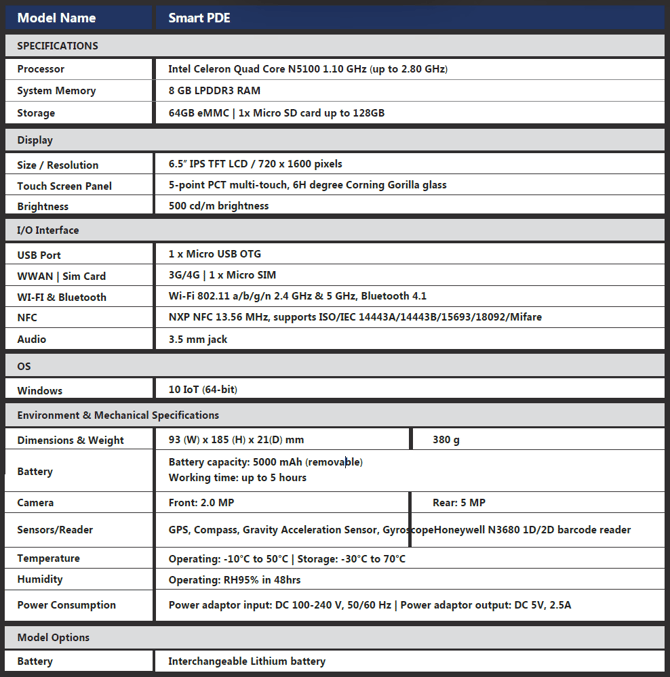
| Category | Specification |
|---|---|
| Processor | Intel Celeron Quad Core N5100 (1.10 GHz up to 2.80 GHz) |
| Memory | 8 GB LPDDR3 RAM |
| Storage | 64 GB eMMC (Micro SD support up to 128 GB) |
| Display | 6.5" IPS TFT LCD, 720 × 1600 |
| Touch | 5-point multi-touch, Corning Gorilla Glass |
| Wireless | Wi-Fi 802.11 a/b/g/n (2.4 GHz & 5 GHz), Bluetooth 4.1 |
| NFC | 13.56 MHz (ISO/IEC 14443A/14443B/15693/18092/Mifare support) |
| Ports | Micro USB OTG, 3.5 mm audio jack |
| OS | Windows 10 IoT (64-bit) |
| Battery | 5000 mAh removable (working time up to 5 hours) |
| Cameras | Front 2.0 MP, Rear 5 MP |
| Scanner | Honeywell N3680 1D/2D barcode reader |
| Environmental | Operating -10°C to 50°C (storage -30°C to 70°C), up to RH95% in 48 hrs |
| Power | Input DC 100–240 V 50/60 Hz, Output DC 5 V 2.5 A |
Common SmartPDE use cases
-
Price checks on products.
-
Receiving stock and entering receipts.
-
Performing stocktakes and cycle counts.
-
Creating transfers between locations.
-
Raising requisitions and purchase-related transactions (where enabled).
Setup notes
The Windows SmartPDE Tablet is supplied preconfigured prior to client handover. No additional installation is typically required.
-
Confirm the device powers on and connect to the venue’s Wi-Fi network.
-
Launch SmartPDE and confirm the correct site/venue database is selected.
-
Perform a quick scan test on a known barcode to confirm the scanner is functioning and data is returning as expected.
-
Contact your bepoz support representative if synchronisation fails or SmartPDE cannot connect to the server.
updated to: bepoz v4.8.2.1