
Overview
A Keylist is a list of Products created for use in other Bepoz setups such as Keymaps, Promotions or Kiosk.
A Keylist Set is a Group of Keylists that can also be assigned. This feature enables you to group existing Key Lists into ordered sets, such as Breakfast, Lunch, or Dinner.
Previously, Key Lists could only be accessed through Key Maps. With this enhancement, the new Key Lists and Sets menu provides a centralised location to view, edit, and organize Key Lists.
Accessing Key Lists & Keylist Sets
-
Open Back Office.
-
Navigate to Maintenance.
-
Select Key Lists and Sets (new menu option).
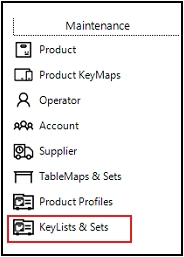
You’ll now see:
-
A list of all existing Key Lists
-
A new feature: Keylist Sets
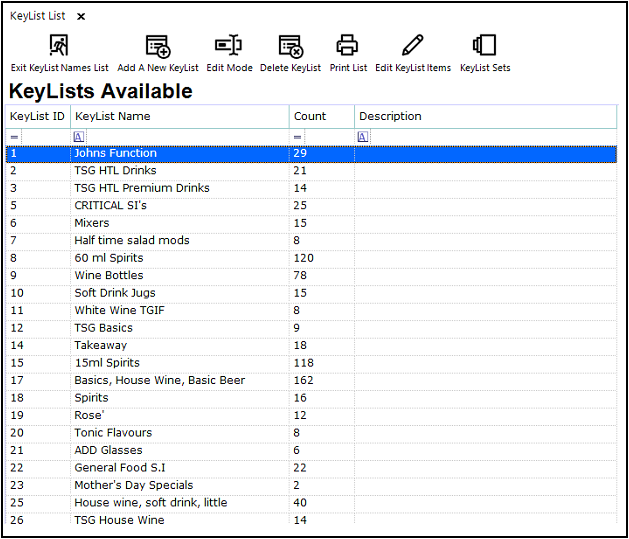
Selecting Keylist Sets opens a screen that mirrors the layout of Key Map Sets, making it familiar to existing users.
Bepoz v4.8.2.3